

- Platform
- LogicMachine
- Installation
- App from .ipk package
- Panel
- Ksenia lares 4.0 (tested on 16IP, firmware 2.6.22)
- Connection
- Local network, secure WebSocket (wss) on port 443 of the panel
- State updates
- Real time, at every change announced by the panel
- Commands
- Scenarios (arming and disarming), zone bypass, outputs
- LogicMachine objects
- Virtual or Standard (on the KNX bus), your choice
- Interface languages
- Italian, English
- License
- Perpetual, one per LogicMachine
- Network
- No Internet needed: everything goes over the local network
The alarm stops being a world apart.
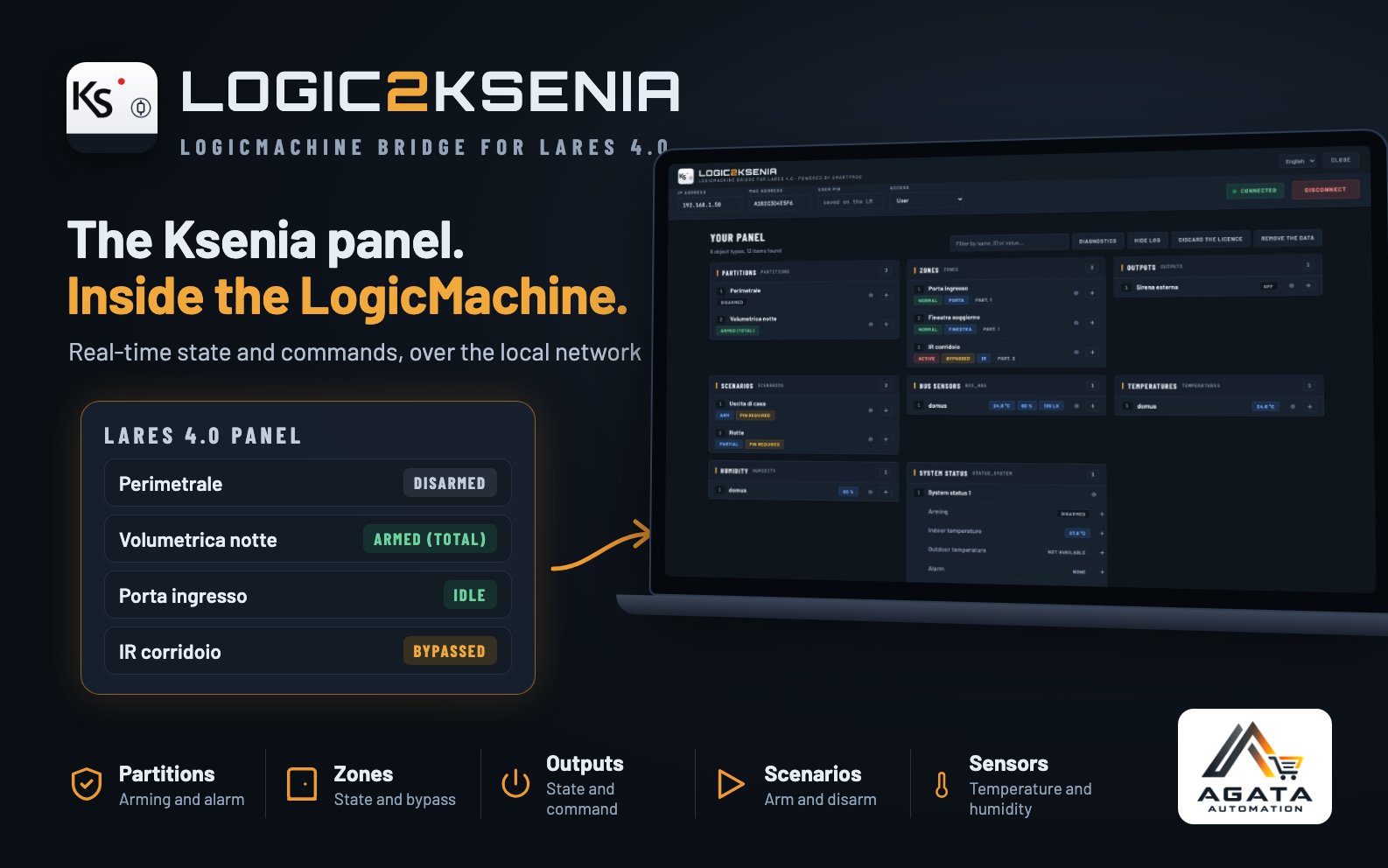
Logic2Ksenia is a LogicMachine app that connects a Ksenia lares 4.0 panel: partitions, zones, outputs, scenarios, temperatures and system signals become LogicMachine objects, updated in real time. Visualisation, scenes, logic and the KNX bus use them like any other object.
- Ksenia panellares 4.0, on the local network
- Logic2Kseniakeeps the connection and translates both ways
- LogicMachineobjects, visualisation, scenes, KNX
For example, with Logic2Ksenia the LogicMachine can:
- show in the visualisation which partitions are armed and which zones are open;
- switch on the corridor lights when an alarm goes off;
- arm the system with a scenario, even from a “leaving home” button;
- bypass a zone or switch on a panel output;
- bring temperature, humidity and light from DOMUS sensors onto objects.
See how it works
What goes onto the LogicMachine
Every property that can go to the LogicMachine has a pencil: pick or create the group address, and from then on it updates by itself. Objects are created Virtual — inside the LogicMachine, off the KNX bus — unless you choose Standard.
| Element | What becomes an object |
|---|---|
| Partition | arming (disarmed, total, partial), alarm |
| Zone | idle / active, alarm, bypass — and the command to bypass it |
| Output | state — and the command to switch it on or off |
| Scenario | the command to run it, which is also arming and disarming |
| System | alarm, tamper, fault and their memories, as a boolean or as text with the causes; internal and external temperature |
| DOMUS sensors | temperature, humidity, light |
Made for an alarm panel
A command never fires on its own
A refused command is not repeated, a command that would change nothing is not sent, and a value written while the connection was down is not executed when it comes back. Against an alarm panel, caution is the feature, not a limit.
Arm anyway, with open zones
If an open zone blocks arming, the app says which one. You can choose to arm anyway: it bypasses only those zones, until the next disarm, checks that the panel has bypassed them, and runs the scenario again.
The connection belongs to the LogicMachine
A service keeps it, starting by itself at install and at every reboot: closing the browser stops nothing. If the network drops, it reconnects by itself. Also as a supervisor, on the connection the panel reserves for a single device.
To know before installing it. Whoever can reach the LogicMachine sees the state of the alarm without typing the PIN, and whoever can write to a command object can arm or disarm the system. That is what the integration is for: the app asks for confirmation every time a command object is created, and the owner of the system has to be told beforehand, not afterwards.
The PIN stays on the LogicMachine
Typed once, encrypted with a key tied to that machine, never sent back to the browser and never in any log. A project backup does not carry it away. Use the PIN of a user dedicated to the integration: the app commands as that user, only on their partitions.
Main features
- Real-time state of partitions, zones, outputs and system
- Alarm, tamper, fault and memories, as a boolean or as text
- Internal and external temperature, DOMUS sensors
- Scenario execution: arming and disarming
- Zone bypass, output switching
- “Arm anyway” with open zones
- No command repeated or executed when the connection returns
- Connection kept by the LogicMachine, even with the page closed
- Supervisor access too
- PIN encrypted on the LogicMachine, never in the logs
- Virtual or Standard objects, your choice
- Visu pages generated by logic2visu, with no configuration
- “Diagnostics” button with a full report
- Italian and English interface
- No Internet needed: everything goes over the local network
- Installed from an
.ipkpackage
How to buy and activate it
- Download the app, free, and install it on the LogicMachine from App Store → Install from file.
- Buy the licence on AgataStore.
- You receive an e-mail with the link to request it: there you paste the LogicMachine fingerprint, which you find in the app page with the Copy button.
- The licence arrives by e-mail once the payment is confirmed, usually within a few minutes.
- Paste it into the app page and save.
The licence is perpetual and valid for a single LogicMachine. Without a licence the app installs, but does not connect to the panel: it is not a trial version. If you change LogicMachine a new licence is needed. If you lose the licence, write to us: we will send it again.
Requirements
- A LogicMachine that can install apps from an
.ipkfile - A Ksenia lares 4.0 panel the LogicMachine can reach on port 443
- The panel’s IP address and the PIN of one of its users
- For the first setup, a computer or a smartphone on the same network as the LogicMachine
What you get
- The app’s
.ipkpackage, always in the latest version - The manual in Italian and in English
- The perpetual licence for one LogicMachine, by e-mail
Documentation
Frequently asked questions
Is a subscription or a cloud service needed?
No. The licence is perpetual, and the LogicMachine talks to the panel over the local network: no Internet needed.
Which PIN is used?
The one of a panel user. The app commands as that user: it sees and commands only their partitions, and the panel logs the events in their name. It is best to create a dedicated one.
Does it work with other Ksenia panels?
It is made and tested for the lares 4.0, on a 16IP with firmware 2.6.22. It has not been tested on other models.
What happens if the network between LogicMachine and panel drops?
The app reconnects by itself as soon as it can. What is written to command objects while the connection is down is not executed when it comes back: a command hours old, against an alarm, is worse than no command.
Can I move the licence to another LogicMachine?
No. The licence is tied to the LogicMachine fingerprint: if the LogicMachine is replaced a new licence is needed.